Ajman, United Arab Emirates056 183 2429
Arvique logoARVIQUECONSTRUCTION · TEXTILE · SOFTWARE
ARVIQUE / SOFTWARE / Arvique Book
BUSINESS ACCOUNTING
Arvique Book

Your daily business. Clearly organized.

Bring customers, quotations, invoices, purchases and payments into one everyday accounting workflow.

For trading companies, textile businesses, service providers and small business teams.

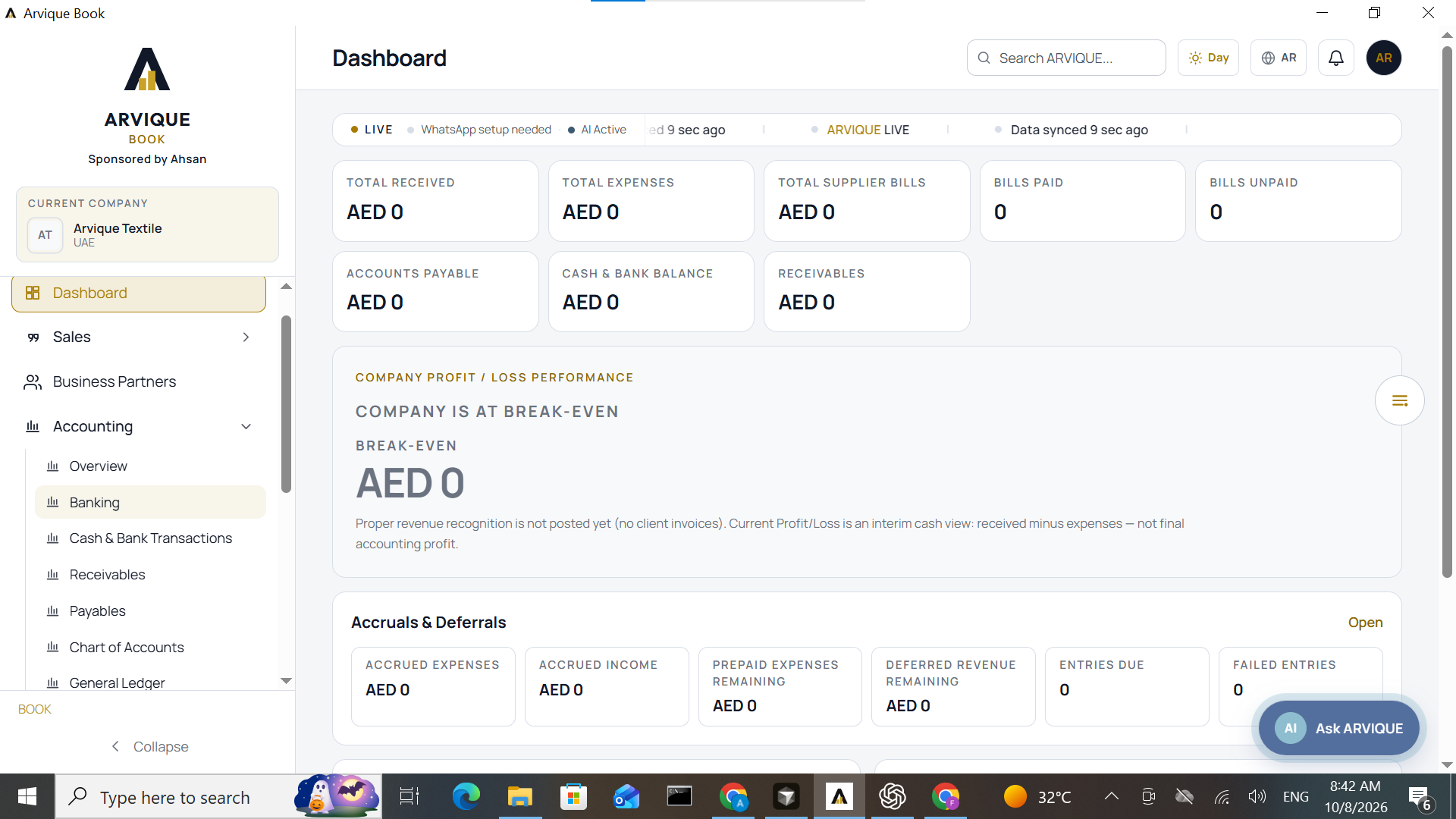
Arvique Book — actual dashboard screenshot
Actual Arvique Book dashboard screenshot, supplied by the owner.
PRODUCT PROFILE

Built around your working day.

Bring customers, quotations, invoices, purchases and payments into one everyday accounting workflow.

For trading companies, textile businesses, service providers and small business teams.

English and Arabic interface options, with company settings and team permissions.

SEE THE WORKFLOW

See your everyday accounting, at a glance.

Choose a view to explore a sample workflow. Illustrative interface layouts and demo data; these are not live company records or screenshots. Features depend on your plan and setup.

Arvique original logoARVIQUE BOOKDEMO

Sales & invoices

Invoiced25,200
Received16,800
Outstanding8,400
DocumentCustomerAmount (AED)Status
QT-1042Sample Garments Trading12,600Quotation
INV-1040Sample Event Company8,400Part paid
INV-1039Sample General Trading4,200Paid

From a quotation to a recorded payment.

VISUAL PRODUCT GUIDE

See the work behind every module.

Explore each module with a large visual example and a practical explanation. These illustrations use demo data to explain the workflow; they are not live screenshots. Confirm enabled features in your product demonstration.

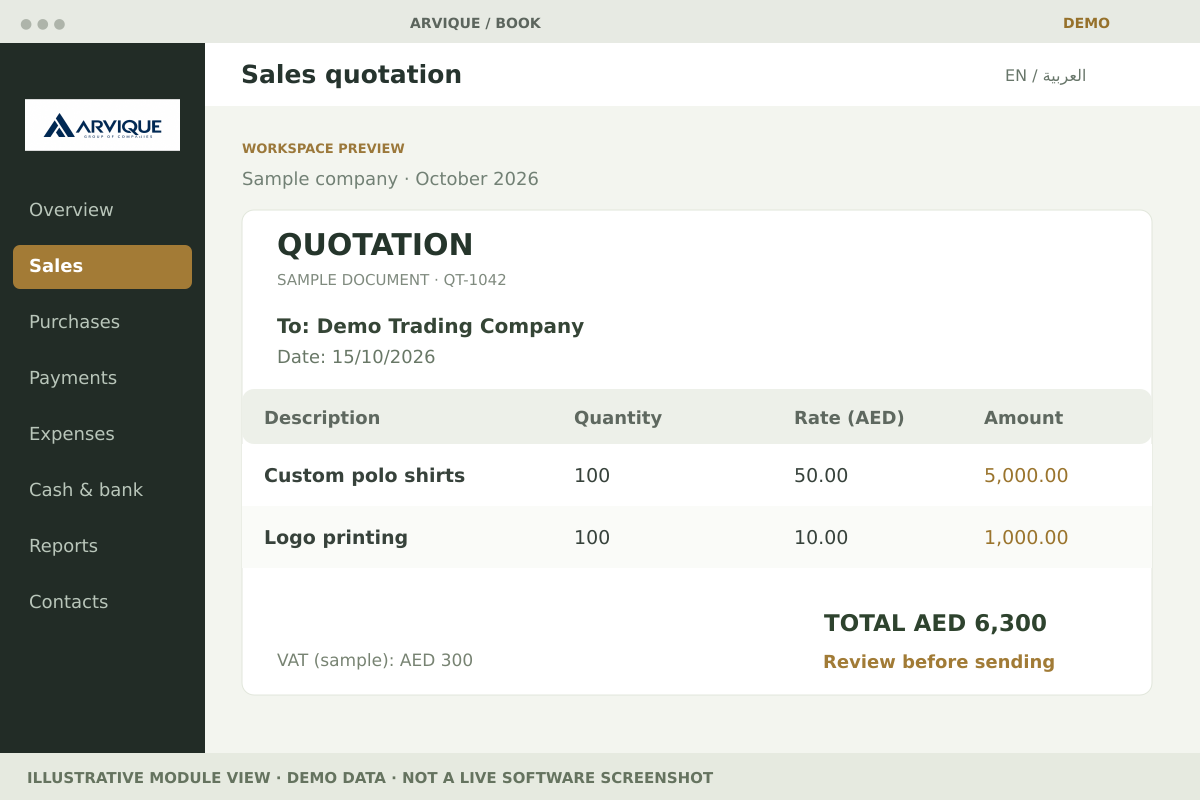
Quotations that start the sale — illustrative Arvique module view using demo data
01

Quotations that start the sale

Prepare a clear quotation before the order is confirmed.

Add the customer, items or services, quantities and prices. Review the amount before creating the customer invoice.

  • Customer & reference
  • Items, quantity & rate
  • Quotation to invoice
Enlarge illustration ↗
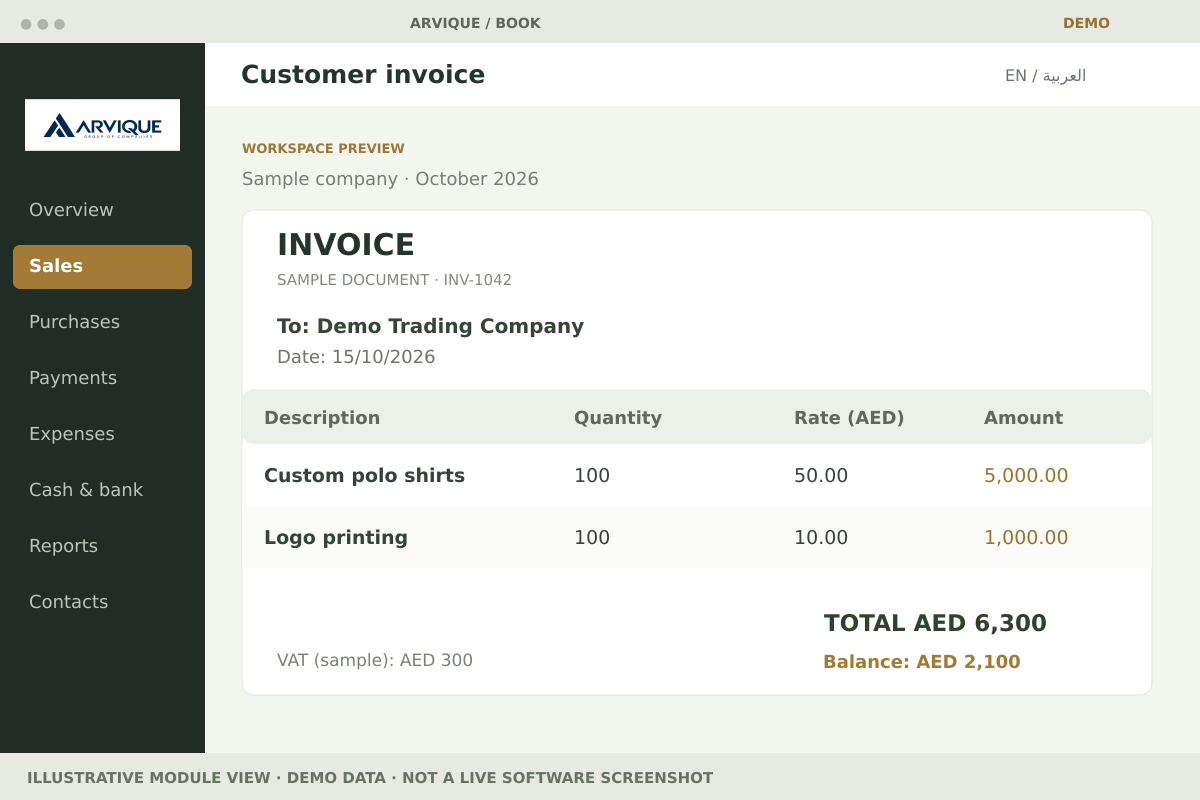
Invoices with the amount still due — illustrative Arvique module view using demo data
02

Invoices with the amount still due

Make the document and its payment position easy to understand.

Create an invoice for garments, printing, trading goods or services. Keep the invoice amount, received payment and balance together.

  • Professional invoice document
  • Payment received & balance
  • Customer billing record
Enlarge illustration ↗
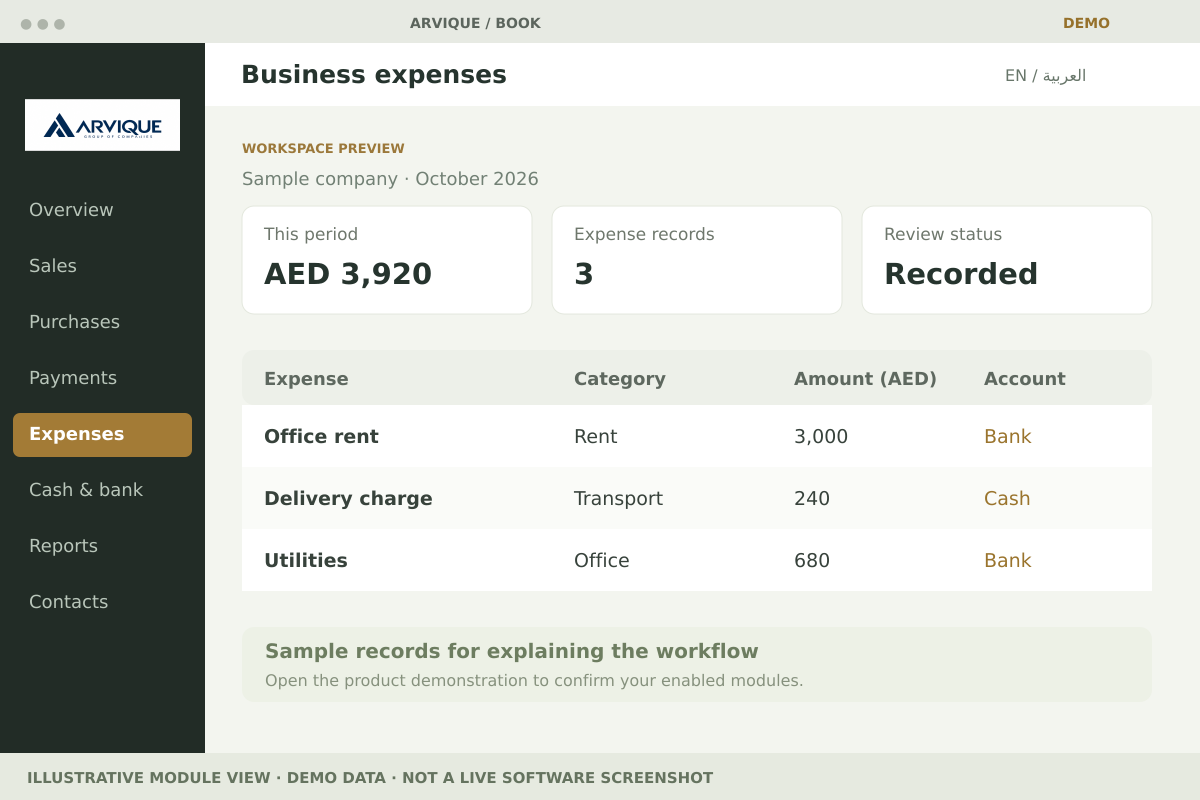
Know where your money goes — illustrative Arvique module view using demo data
03

Know where your money goes

Keep daily expenses visible alongside your accounts.

Record the date, category, payment account and supporting document. Separate delivery costs, office expenses and other business spending.

  • Expense categories
  • Cash or bank payment
  • Supporting documents
Enlarge illustration ↗
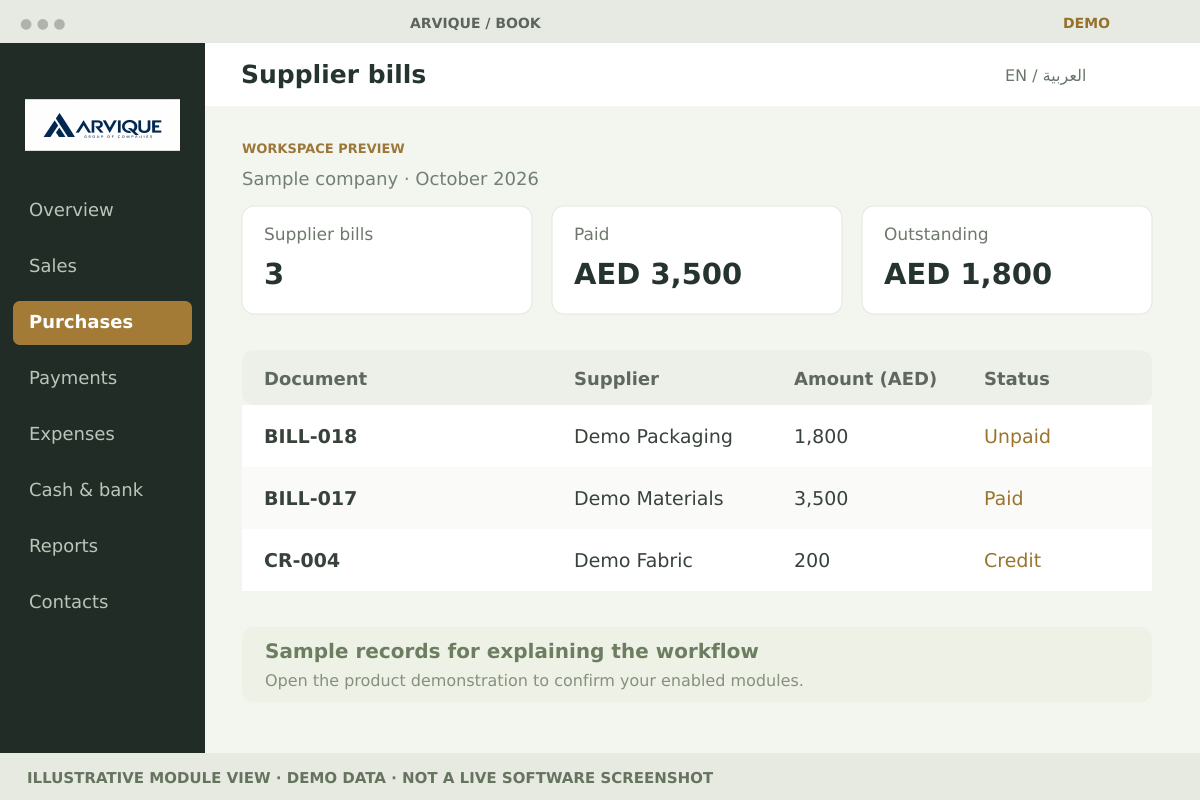
Supplier bills without scattered records — illustrative Arvique module view using demo data
04

Supplier bills without scattered records

See what you bought and what remains payable.

Keep supplier bills, payments made and vendor credits connected to the supplier record. Review outstanding dues before making the next payment.

  • Supplier bill details
  • Payments & vendor credits
  • Outstanding supplier balance
Enlarge illustration ↗
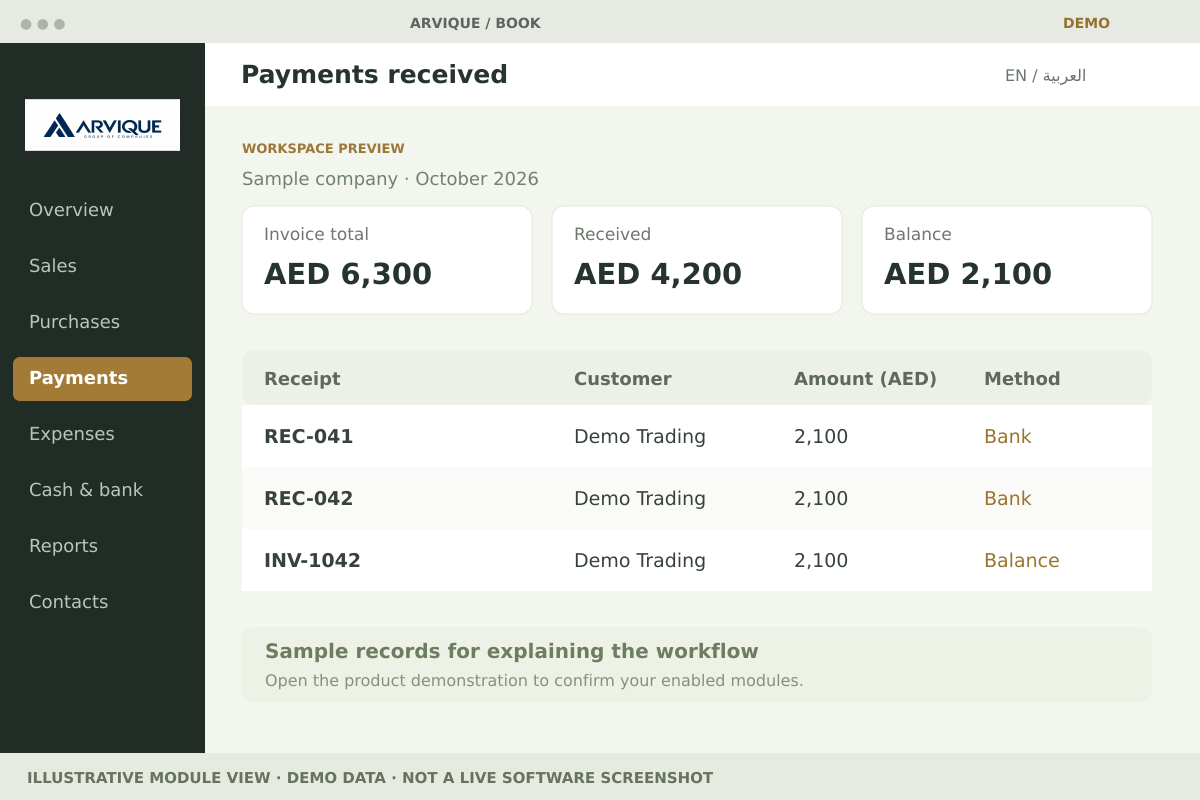
Follow every customer receipt — illustrative Arvique module view using demo data
05

Follow every customer receipt

A sale is easier to manage when receipts are recorded.

Record customer receipts, check invoice balances and review receivables. See which customers still have amounts outstanding.

  • Payment date & amount
  • Invoice balance
  • Customer statement
Enlarge illustration ↗
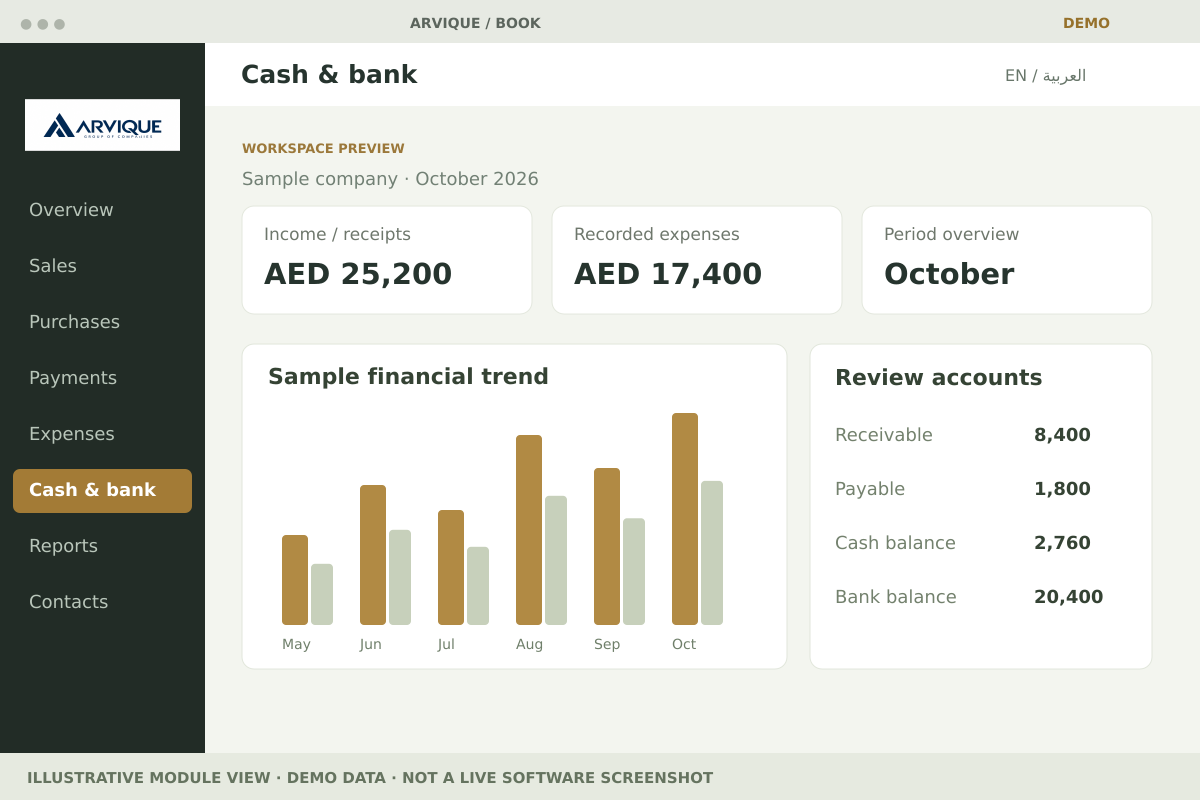
Cash and bank in one view — illustrative Arvique module view using demo data
06

Cash and bank in one view

Review the accounts behind your daily transactions.

Keep cash and bank transactions organized, review ledger entries and use the reconciliation tools available in your setup.

  • Cash & bank transactions
  • Ledger records
  • Bank reconciliation
Enlarge illustration ↗
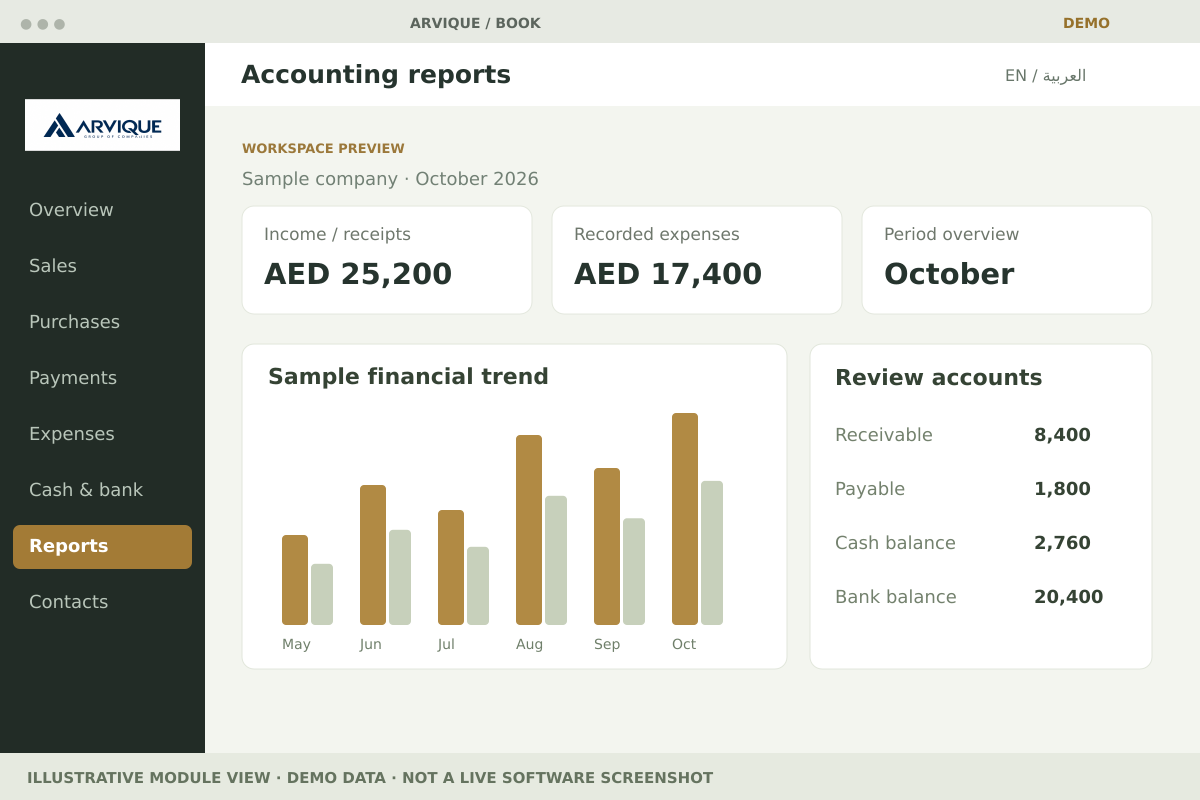
Reports you can read and review — illustrative Arvique module view using demo data
07

Reports you can read and review

Turn recorded transactions into a clearer financial picture.

Review accounting reports, receivables, payables and VAT records for a selected period. Use import and export tools for your working files.

  • Financial overview
  • Receivables & payables
  • VAT records & exports
Enlarge illustration ↗
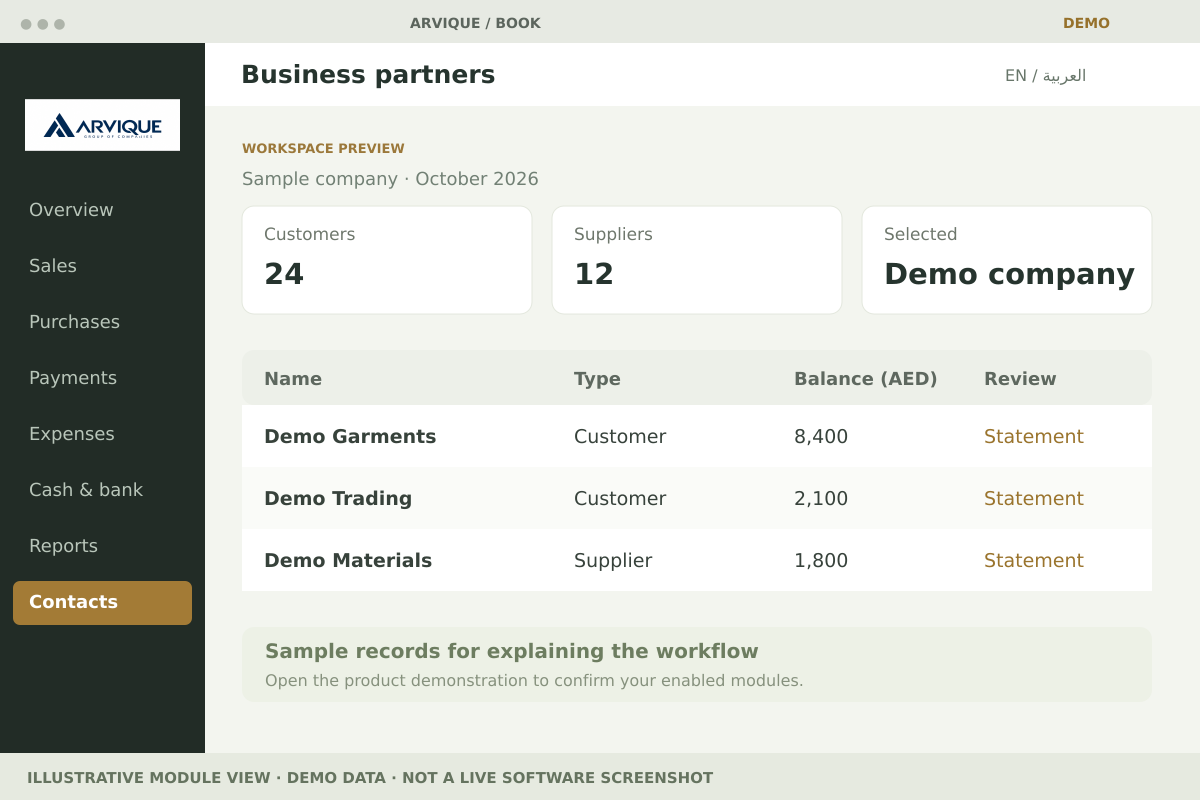
Customers and suppliers, connected — illustrative Arvique module view using demo data
08

Customers and suppliers, connected

Build records around the people you do business with.

Keep customer and supplier details with their transactions. Use one organized workflow whether you sell garments, textile products, trading goods or services.

  • Customer & supplier details
  • Related transactions
  • Different business types
Enlarge illustration ↗
HOW IT FITS YOUR BUSINESS

One accounting workflow. Different businesses.

Garments & textile

Quote a uniform order, invoice the customer and record fabric bills, delivery expenses and receipts.

General trading

Organize customers, supplier bills, payments and outstanding balances around your daily trade.

Services & small teams

Invoice your services and keep everyday expenses, cash, bank records and accounts together.

WHAT YOU CAN MANAGE

Your work, module by module.

01

Customers & suppliers

Keep customer and supplier details connected to their transactions.

02

Quotations & invoices

Prepare quotations, convert them to invoices and manage customer billing.

03

Payments & balances

Record payments received and review customer statements and outstanding balances.

04

Purchases & supplier bills

Organize purchase orders, supplier bills, payments made and vendor credits.

05

Expenses & petty cash

Keep day-to-day business expenses and petty cash records together.

06

Accounting & reports

Review receivables, payables, cash and bank records, ledgers and accounting reports.

07

Documents & notes

Organize business documents and working notes alongside your daily records.

08

Company settings

Set up company details, users, permissions and English or Arabic preferences.

HOW IT WORKS

From the first record to a clearer overview.

01

Set up your company

Add company information, customers and suppliers.

02

Quote & invoice

Prepare the quotation and create the customer invoice.

03

Record transactions

Enter receipts, purchases and expenses.

04

Review balances

Review outstanding amounts, statements and reports.

TWO DISTINCT PRODUCTS

Choose the right fit for your team.

Arvique Book

For trading companies, textile businesses, service providers and small business teams.

Bring customers, quotations, invoices, purchases and payments into one everyday accounting workflow.

Explore full profile →

Arvique Construction ERP

For building contractors, villa construction companies and teams managing multiple sites.

Organize construction projects, purchasing, site expenses and project accounting around the way your team works.

Explore full profile →
DOWNLOAD & SETUP

Get your team ready.

Discuss your company, required modules and team access before setup. Confirm enabled features during your demonstration.

Arvique Book

Download for Windows

Initial release · Unsigned installer. Windows may show an unverified publisher.

Download SHA-256 checksum

Version 1.0.0 · Windows 10/11, 64-bit · Internet required. Requires .NET Framework 4.8 and Microsoft Edge WebView2 Runtime.

Open web app →

Request a product demonstration

Before you get started.

Which software should I choose?

Arvique Book focuses on everyday business accounting. Arvique Construction ERP adds construction project and site workflows.

Can my employees use it?

Discuss the users, roles and permissions your team needs during setup.

Are English and Arabic supported?

The software includes English and Arabic interface options.

Is the Windows installer ready?

Download the Windows online desktop edition above, or open the web app. An account and an internet connection are required.

CONTACT ARVIQUE

Let’s discuss what you need.

Share your requirements with Ahsan Rafique.

Ahsan Rafique056 183 2429+971 56 183 2429

Ajman, United Arab Emirates